
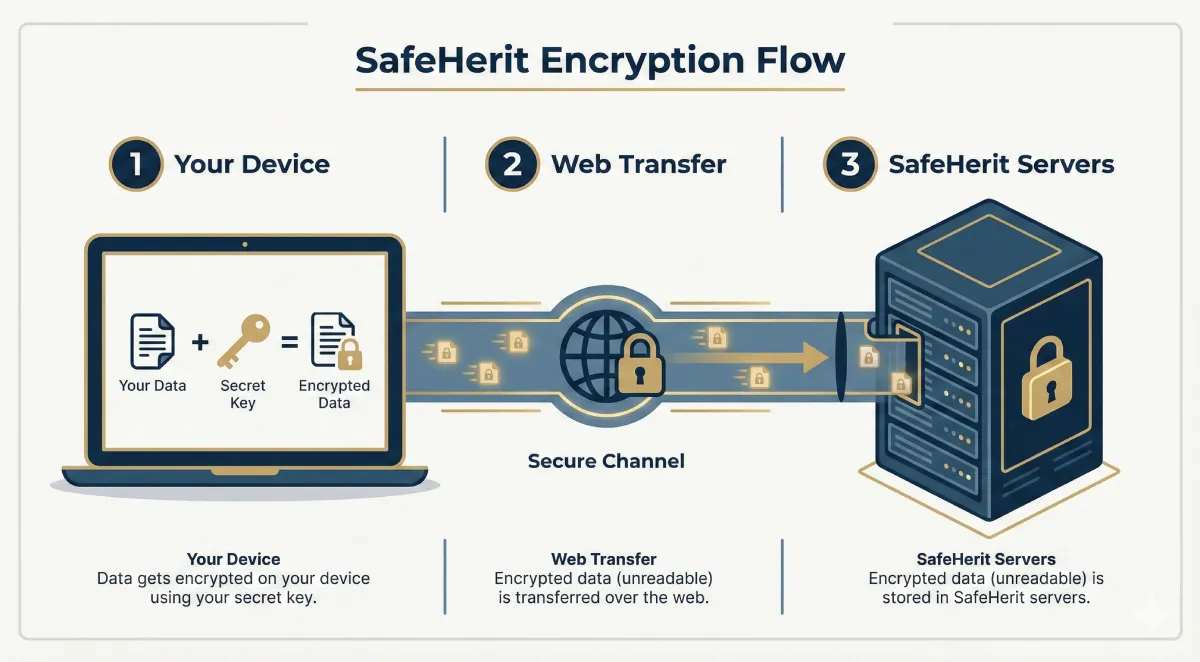
Your information is encrypted in your device before anything is sent over the internet. So nobody else can read it, not even us.
And you can verify at any time that this is really happening.
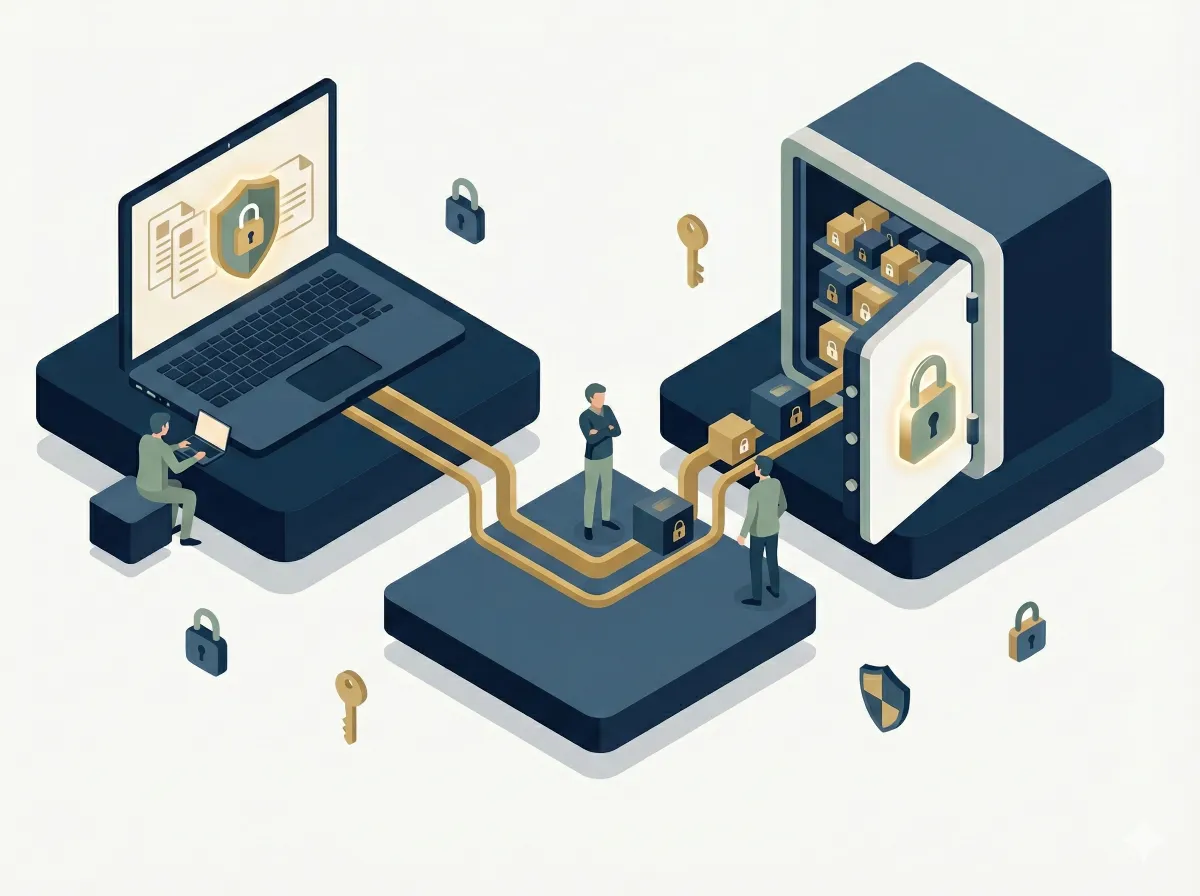
Only you (and later your beneficiaries) can read your information.
SafeHerit is built so that only you (and, when the time comes, the beneficiaries you choose) can read your information. We encrypt everything on your device before it leaves your browser.
We don’t hold your private key and can’t decrypt the information stored in your vault.
Your private key stays with you, and SafeHerit cannot reset or recover it. We recommend you store it securely, and keep a copy in a secure location.
If you later decide to change your key, your browser re-encrypts your data with the new one.
Important: If you permanently lose access to your private key (and any back up you set up), your encrypted data will be irrecoverable and you will have to start a new vault from scratch with a new key.
Why You Need a Private Key
Your private key is what makes SafeHerit truly zero-knowledge. This short video explains how it protects your information.
Your browser locks the data first, then sends it.
That being said, we believe that security claims should be verifiable:
If you are a technical user, you can verify at any time that your data is encrypted in your browser before anything is sent over the internet.
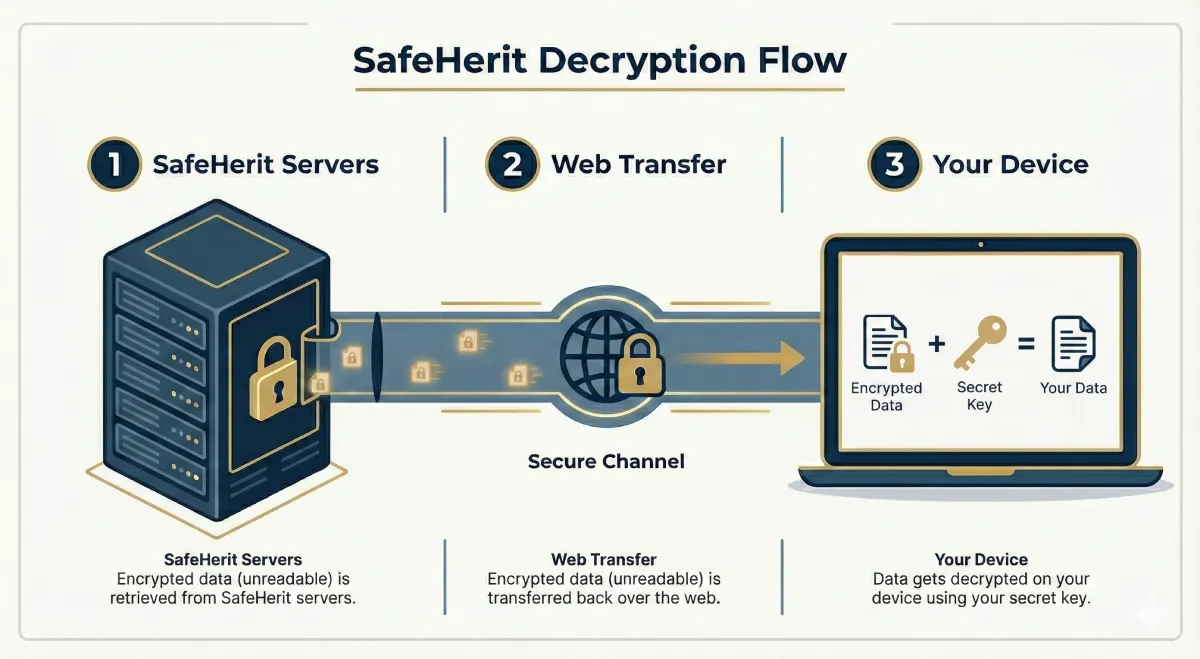
Each beneficiary has their own “locked box.”
Think of each beneficiary having their own locked box. You decide what goes into each box.
Only the beneficiary with the matching key can open their box. Other beneficiaries (and SafeHerit) cannot decrypt items not intended for them.
Why Beneficiaries Need a Private Key
Each beneficiary receives their own encrypted access keys. This short video explains how it protects your privacy.
Confirm status first; access remains encrypted.
SafeHerit periodically checks in on the schedule you set. If you do not respond, we contact your validators (if you registered any) to confirm your status.
This process never reveals your encrypted content. It only authorizes the next step which is to notify your beneficiaries.
How The Pulse Check Works
See how SafeHerit verifies your status before releasing information to beneficiaries.
What we defend against, and where you play a part.
We protect against server breaches, insider access, and demands for data because we store only encrypted content and do not hold your private key.
Your role is to secure your devices and private keys, use strong unique passwords, and share keys safely with your beneficiaries.
We store encrypted information about assets, not the assets themselves.
SafeHerit store encrypted information about your assets (notes, references, locations, and any files you attach), not the assets themselves. Information about your assets is encrypted before upload, and we do not get to see it at any point.
While SafeHerit helps you provide instructions for your beneficiaries, it is not a legal will and does not provide legal advice.
We keep encrypted backups to protect against outages.
Backups are useless to anyone without the corresponding private keys.
Get started with SafeHerit in minutes and experience a painless way to secure your assets, assign beneficiaries, and ensure your legacy is always in the right hands.